
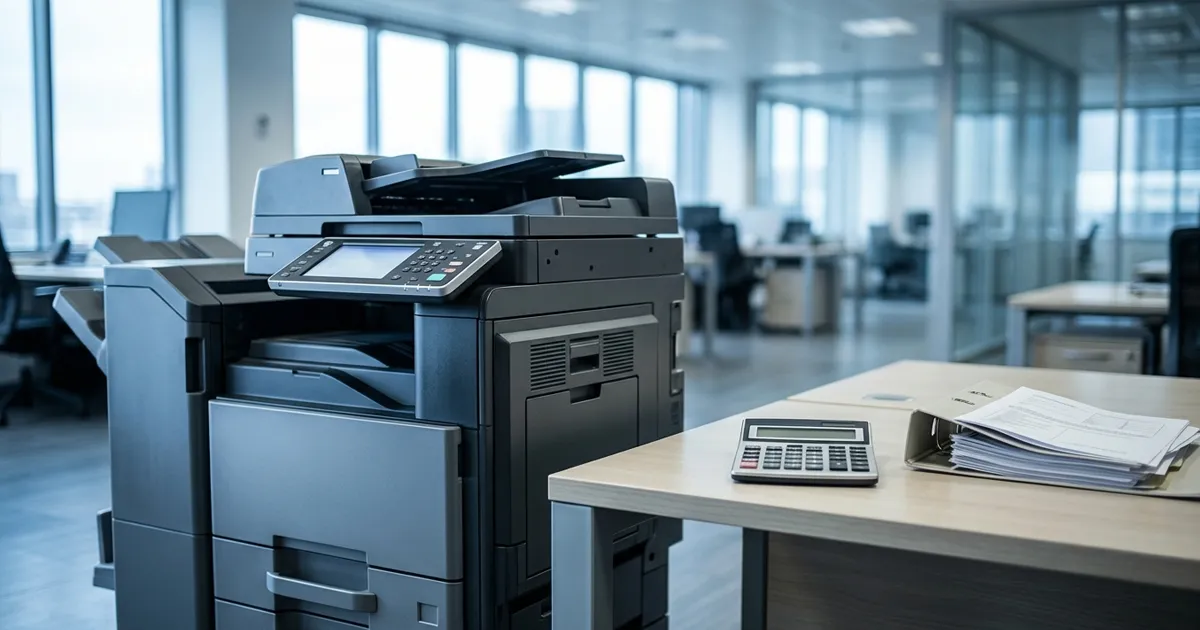
Photocopy Machine Price in South Africa: Buy, Rent or Lease?

A photocopier has no single price in South Africa. The photocopy machine price depends on the model, its speed, its features and whether the machine is new or refurbished. This guide does not list photocopier prices, because a number printed here would be out of date or wrong for your office.
It shows what sets the price, what you pay after you buy, and how to work out the real cost of owning a photocopier. It also explains when renting or leasing is the better route, so you can compare the options before you spend.
Short answer
- The purchase price covers the machine only. Toner, servicing, repairs and paper come on top.
- Speed, colour, paper capacity, finishing and network features set the price, along with whether the machine is new or refurbished.
- Yearly cost of owning = purchase price spread over the years you keep the machine, plus yearly running costs.
- Renting or leasing replaces a large purchase with an agreed monthly payment. Buying can suit low volumes and long ownership.
What decides the price of a photocopier
Two machines that look alike can differ widely in copy machine price. These are the factors behind the gap.
- New or refurbished. Refurbished and second hand machines can cost less to buy. Ask about condition, warranty, service history and whether parts are available.
- Speed. Pages per minute is the standard measure. Faster machines suit heavier volumes and usually cost more.
- Colour or black and white. Colour machines usually cost more to buy and more to run.
- Paper capacity and sizes. The number of trays, A3 as well as A4, and large trays for long runs all affect the price.
- Finishing. Stapling, hole punching and booklet making add to the price.
- Functions and connectivity. Scanning to email or a folder, secure printing with a PIN or card, mobile printing and network features.
- Brand and model. The brand affects whether parts and technicians are available where you are. Ask who services the model in your area.
- Delivery and installation. Moving a heavy machine and setting it up on your network can be priced separately.
Features you will not use still add to the purchase price and to the running costs, so match the machine to the work it will actually do.
What you pay after you buy a photocopier
The purchase price is the first cost. These keep arriving for as long as you own the machine.
- Toner and other consumables. Used every month, and priced per cartridge or per page.
- Servicing. Regular servicing, either paid per visit or covered by a service contract.
- Repairs and spare parts. Heavier use wears parts, and an older machine needs them more often.
- Downtime. Staff waiting for a machine, or jobs sent out to a copy shop, cost time and money.
- Paper and power. Small per page, but they add up with volume.
- Software, network set up and IT time. Connecting the machine to your computers and keeping it connected.
- Replacement. Models eventually go out of date, or parts stop being available.
Many offices overlook these costs, so ask the supplier for the running cost per page in writing before you buy.
How to work out the real cost of owning a photocopier
Put your own numbers into these two formulas.
Yearly cost of owning = purchase price ÷ years you will keep the machine + yearly toner and consumables + yearly servicing and repairs + yearly paper and power + any software or IT costs
Running cost per page = yearly running costs ÷ pages copied and printed in a year
Copy this worksheet and fill it in.
| Item | Your figure |
|---|---|
| Purchase price, including delivery and installation | |
| Years you expect to keep the machine | |
| Yearly toner and consumables | |
| Yearly servicing and repairs | |
| Yearly paper and power | |
| Software or IT costs | |
| Pages per year | |
| Yearly cost of owning | |
| Running cost per page |
To compare with renting, ask a supplier for a rental quote that uses the same monthly volume. Multiply the monthly rental and the page charges by 12, and compare that yearly figure with your yearly cost of owning.
When buying makes sense
- You copy and print a small number of pages each month.
- You expect to keep the machine for many years.
- You have the funds to pay the purchase price in one go.
- You have someone to arrange servicing and repairs, or you will take a service contract.
- You want to own the machine.
When renting or leasing makes sense
- You prefer to avoid a large purchase and pay an agreed monthly amount instead.
- You print or copy regularly and want installation and support arranged for you.
- Your needs may change over the next few years.
- You want to budget for a monthly cost over a set term.
OTDOS rents and leases photocopiers, copiers, printers and multifunction printers across South Africa on agreements from 12 to 60 months, with installation and support. See our printer and photocopier rental and leasing page for the options.
Tell us your monthly volume and what you need to print, scan or copy, and we will recommend a device and an agreement.
Get a Printer Rental QuoteBuy, rent or lease side by side
| Buy | Rent | Lease | |
|---|---|---|---|
| Upfront cost | The full purchase price, paid up front | No large purchase | No large purchase |
| Monthly payment | None, but running costs continue | An agreed monthly amount, and in many agreements a charge per page | An agreed monthly payment for an agreed term |
| Toner and servicing | You arrange and pay, or take a service contract | Check what the agreement covers | Check what the agreement covers |
| If your needs change | You sell or replace the machine yourself | Depends on the agreement length and terms | Depends on the term and the options at the end |
| Ownership at the end | You own it | Check who owns the machine at the end | Check who owns the machine at the end |
| Often suits | Low volumes and many years of use | Regular use without a large outlay | A fixed monthly cost over a set term |
Questions to ask before you decide
Before you buy
- Is the machine new or refurbished, and what warranty comes with it?
- What is the running cost per page, in writing?
- Who services this model in my area, and how fast do they respond?
- Are toner and parts easy to get, and what do they cost?
- What does delivery and installation cost?
Before you rent or lease
Our printer rental cost guide lists the questions to ask a supplier and shows how to compare quotes side by side.
Frequently asked questions
How much does a photocopier cost in South Africa?
It depends on the model, its speed, its features and whether it is new or refurbished, so there is no single price. Ask suppliers to quote the same specification, include delivery, installation and servicing, and compare the full cost as well as the machine price.
Is it cheaper to buy or rent a photocopier?
It depends on how long you keep the machine and how much you copy. Buying can cost less over many years for a machine you use heavily and keep. Renting avoids the large purchase and spreads payments over an agreement. Work out both over the same period, and use our printer rental cost guide to compare rental quotes.
Is a second hand or refurbished photocopier worth it?
It can lower the purchase price. Ask about the machine’s condition, warranty and service history, whether parts are available, and who will service it, then add the running costs to your comparison.
What are the running costs of a photocopier?
Toner and other consumables, servicing, spare parts and repairs, paper, power and any software or IT work. Ask the supplier for the running cost per page in writing.
Can I rent a photocopier instead of buying one?
Yes. OTDOS rents and leases photocopiers, copiers, printers and multifunction printers to businesses across South Africa on agreements from 12 to 60 months, with installation and support. See our printer and photocopier rental page.
What information do I need to get a rental quote?
Your approximate monthly pages, split into black and white and colour, whether you need to print, scan and copy, how many people will use the machine, where it will be installed and how long you expect to need it.
Ask about renting or leasing instead of buying
If the numbers favour renting or leasing, tell us your monthly print volume, what you need to print, scan or copy, and how many people use the machine. We recommend a device and an agreement from 12 to 60 months to suit your business.